Now on the App Store

Feedings and sleep in one tap. DuoBaby remembers the rest.

The timer stays on your Lock Screen, the day shows up organized by time of day and, over time, the app reveals your baby’s rhythm. Works without internet.

Download on theApp StoreComing soon toGoogle Play
  • Free to start
  • No ads
  • For iPhone and iPad
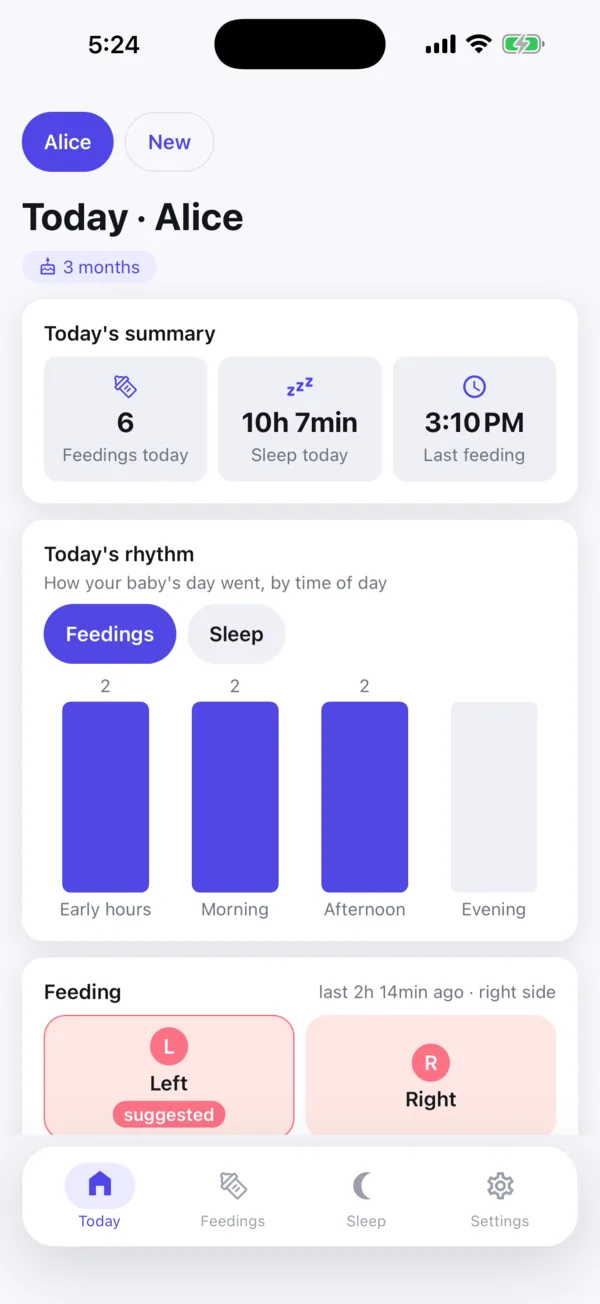
DuoBaby Today screen: daily summary, rhythm of the day by period and feeding and sleep timers

Three taps and the day starts to make sense

  1. Create your baby’s profile

    Name and date of birth, done. It takes less than a minute.

  2. Tap when a feeding or sleep starts

    Left, right or bottle. For sleep, “Sleeping now”. Another tap ends it.

  3. Watch the day take shape

    Summary, rhythm by time of day and the feeding and sleep history, grouped by day.

The whole day on one screen

How many feedings, how much sleep and when the last feeding was. Today’s Rhythm lines up overnight, morning, afternoon and evening side by side, and the timers sit right below, with the suggested side for the next feeding already marked.

  • Daily summary in three numbers
  • Rhythm of the day in four periods
  • Feeding and sleep timers
Today screen with the daily summary, the rhythm-of-the-day chart and the feeding timer with the suggested side

The timer stays on your Lock Screen

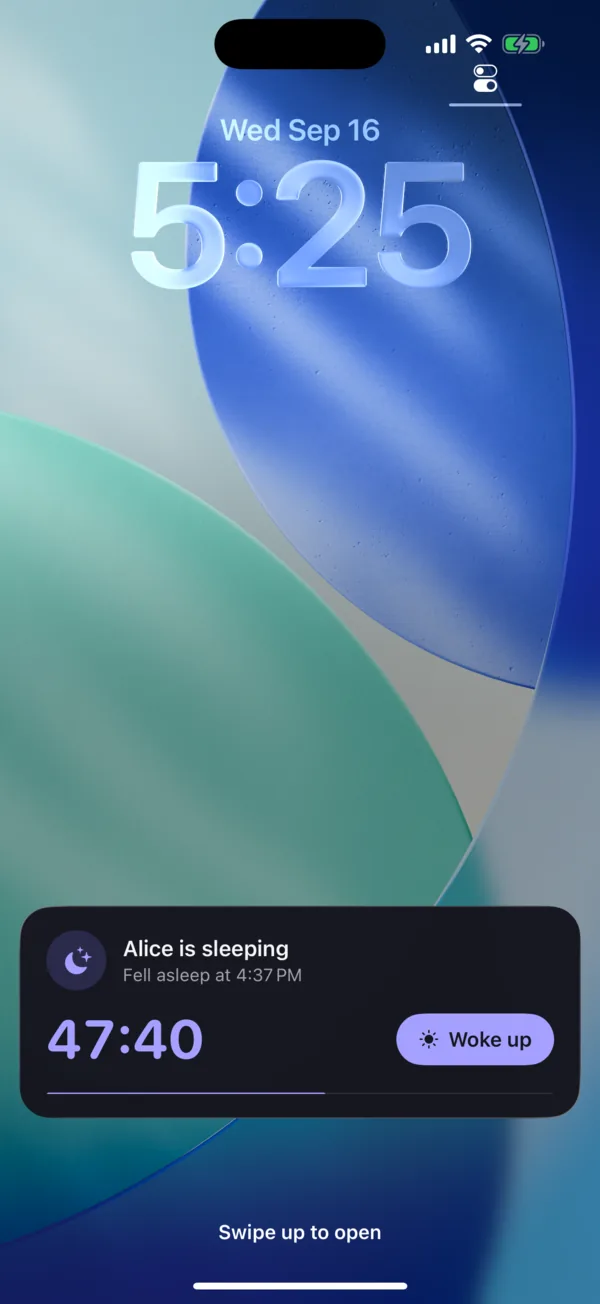
Started a nap or a feeding? The time keeps running on the Lock Screen and in the Dynamic Island, without opening the app. One tap ends it. Free for everyone.

  • Lock Screen and Dynamic Island (iOS 16.2 or later)
  • A button to end it right from the notification
  • On the Android version, a pinned notification with the running time
iPhone Lock Screen showing “Alice is sleeping” with the timer at 47:44 and the Woke up button

Every feeding and every nap, day by day

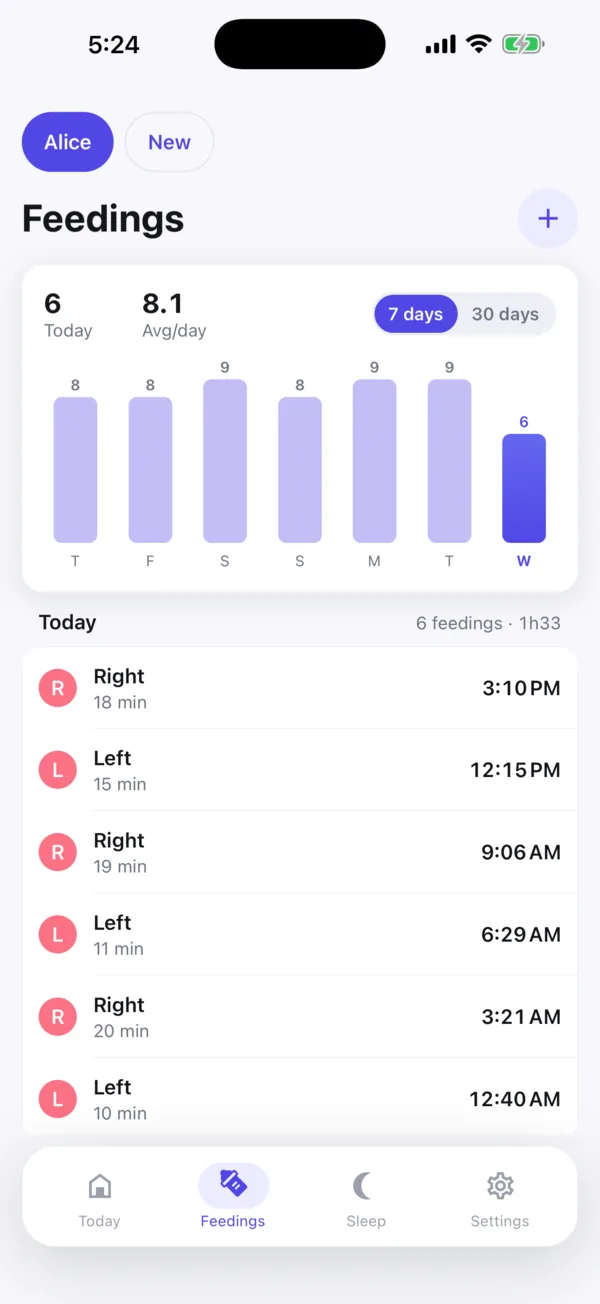
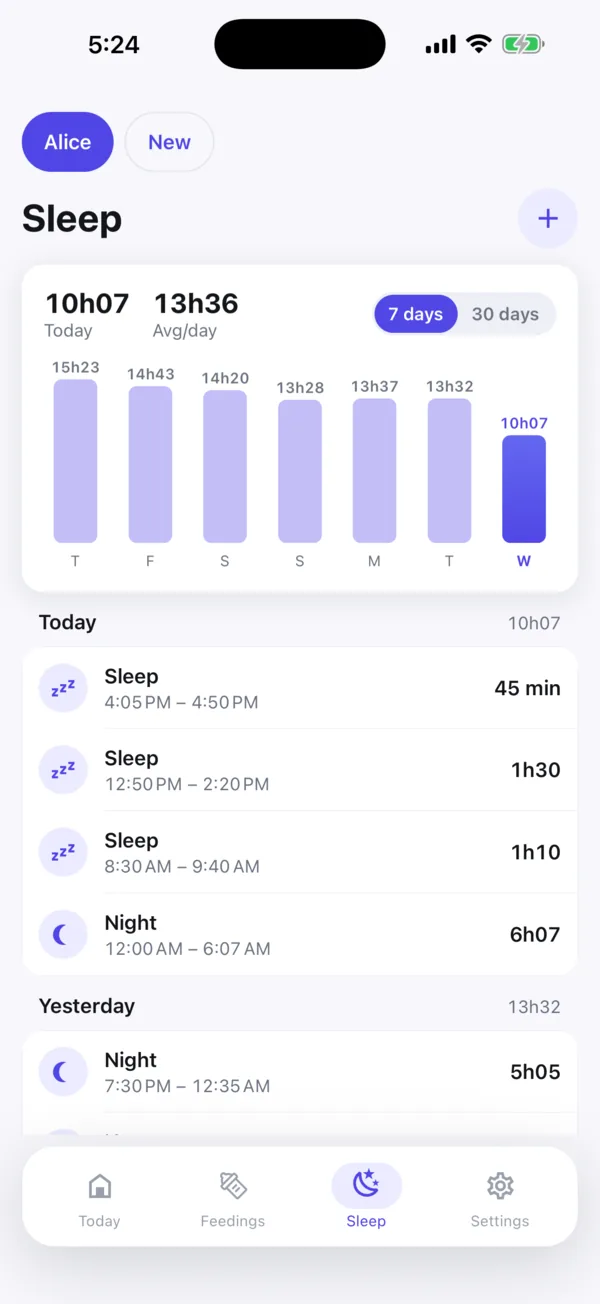
Breast with the side, bottle with the volume, naps and nights. The 7-day chart shows the average, and the list is grouped by day. Tap to edit, swipe to delete.

  • Side, duration and volume of each feeding
  • Naps and night sleep with the daily total
  • 7-day chart for free, 30 days with Routine
Feedings screen with the last-7-days chart and today’s list with side and duration
Sleep screen with the hours-per-day chart and the list of naps and night sleep
Routine plan

Know when the next nap is likely

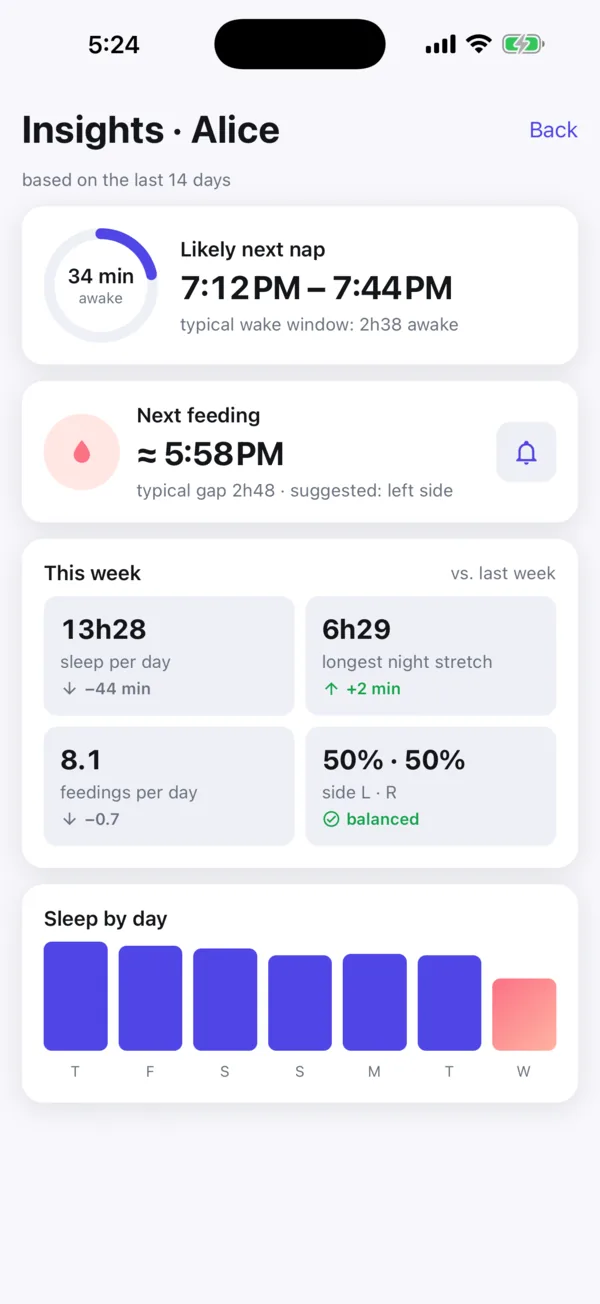
After a few days of entries, the app computes on your device the likely next nap, the next feeding with the suggested side and a weekly summary compared with the week before. None of it leaves your phone.

  • Next nap and next feeding
  • This week versus last week
  • Optional next-feeding reminder, silent from 10 pm to 6 am
Insights screen with the likely next nap, the next feeding, the weekly summary and sleep by day

And everything else the routine needs

The essentials are free. Forever.

The Routine plan is there when you want to understand your baby’s rhythm in more depth.

Free

No time limit, no card

  • Unlimited feedings and sleep
  • Live timer on the Lock Screen
  • Works offline and syncs
  • Charts for the last 7 days
  • No ads

Routine

7 days free

Monthly subscription

  • Everything in Free
  • Insights: next nap and next feeding
  • Weekly summary with trends
  • Next-feeding reminder
  • 30-day charts
  • Several babies in one app

Forever

One-time purchase

  • Everything in Routine
  • Forever, with no subscription
Download and start free

The price is shown in the app, in your currency, before you confirm. Subscriptions are billed by the App Store and renew automatically until canceled in your store settings. If the free trial is not canceled before the 7 days end, the subscription is charged.

Frequently asked questions

Is DuoBaby free?

Yes. Logging feedings and sleep, the Lock Screen timer, offline use and the last 7 days of charts are free, with no ads. The Routine plan is optional and comes with a 7-day trial.

Does the timer show while the phone is locked?

Yes. When you start a sleep or a feeding, the timer appears on the Lock Screen and in the Dynamic Island (iPhone with iOS 16.2 or later). If it doesn’t, check Settings › DuoBaby › Live Activities.

Does it work without internet?

Yes. You log everything offline; data stays on the device and syncs on its own when the connection returns.

Can I use it on iPhone and iPad at the same time?

Yes. Sign in with the same account on both and entries sync. Sharing with other accounts (another caregiver, for example) is not available yet.

Is there an Android version?

It’s in the works. For now, DuoBaby is available for iPhone and iPad on the App Store.

How do I cancel the subscription?

In your App Store subscription settings (Settings › your name › Subscriptions). You keep Routine until the end of the period you already paid for. Deleting your account does not cancel the subscription.

How do I delete my account and data?

In the app, go to Settings › Delete account. Deletion is permanent. If you prefer, email contato@duosis.com.br from your registered address.

Does the app give medical advice?

No. DuoBaby logs and organizes the routine; the insights are averages of your own entries. For any question about your baby’s health, talk to your pediatrician.

More answers on the support page

Start tonight

Free on the App Store. It takes less than a minute to log the first feeding.

Download on theApp StoreComing soon toGoogle Play

For iPhone and iPad. Android version in the works.